trouble in paradise (pt2) - the XO drive space problem
Intro
Managed to catch this one thanks to Netdata monitoring on my Xen Orchestra from source appliance.
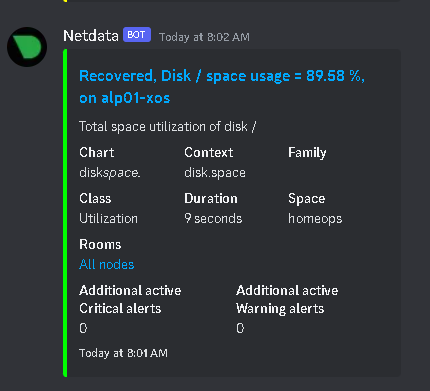
Turns out that the XO installation had occupied some 10+GB on the drive and the drive being merely 20GB large it was nearing capacity fast. Time to pull out some old school sysadmin skills for this one, not much to it.
The problem.
Well, how do you expand the XO drive when you are managing the XCP-NG installation from the same VM? Can’t expand drive, shutdown and restart (you probably can shutdown, log in to the XCP-NG host and use XAPI to resize the disk bla bla, but I was not taking any chances, KISS-principle remember?)
The easiest way to manage it is to have a secondary XO, maybe even the official appliance (for when you really really break stuff in the lab)

Give the XO appliance som resources, connect it to the hosts or even restore the xo-config from your main to the secondary and off you go, start the machine when needed.
Alright, back to the problem!
The disk is to small! Just change the size from the secondary XO! 
Alright, done! And now start the XO-appliance, and do the dirty work. 
First, check the partitions
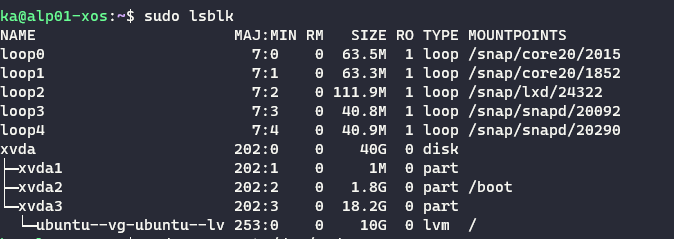
Grow the correct partition, the
xvda3in our case, and check if it’s grown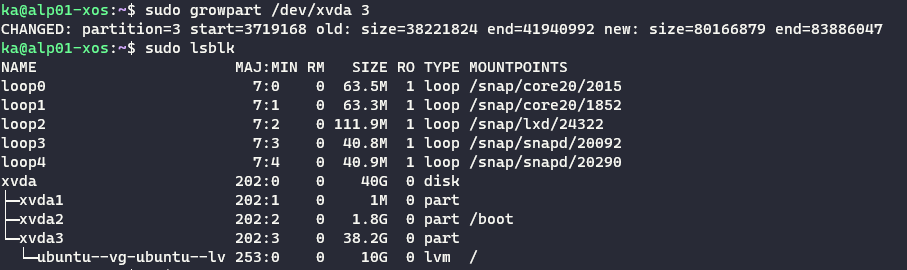
Resize the device

Check the LV-path, in our case
/dev/ubuntu-vg/ubuntu-lv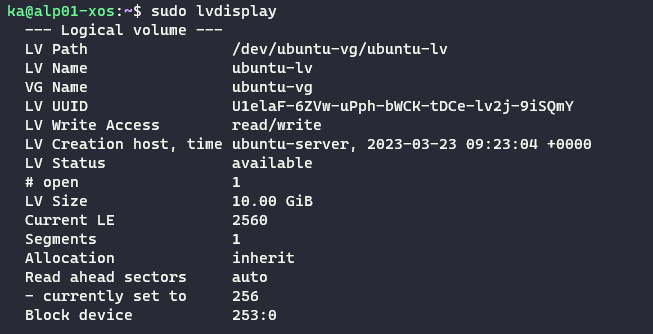
Extend the lv to the full extent, 100%.

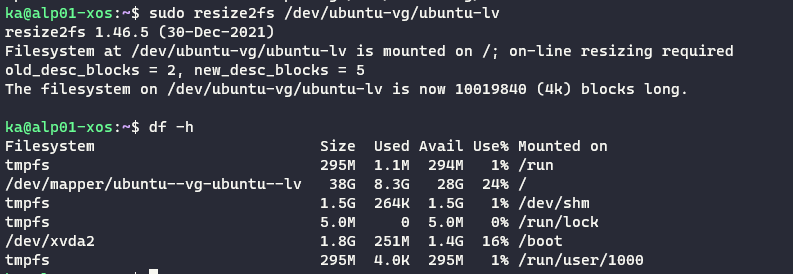
Finally, resize the filesystem on the device and verify that the filesystem is larger, in our case ~40GB.
CLI summary
1
2
3
4
5
6
7
8
sudo lsblk
sudo growpart /dev/xvda 3
sudo lsblk
pvresize /dev/xvda3
lvdisplay
lvextend -l +100%FREE /dev/ubuntu-vg/ubuntu-lv
resize2fs /dev/ubuntu-vg/ubuntu-lv
df -h
What now?
The appliance is happy again, we can rightfully feel like a 🐱👤
See you next time, same channel, different problem. Until then, cheers!